
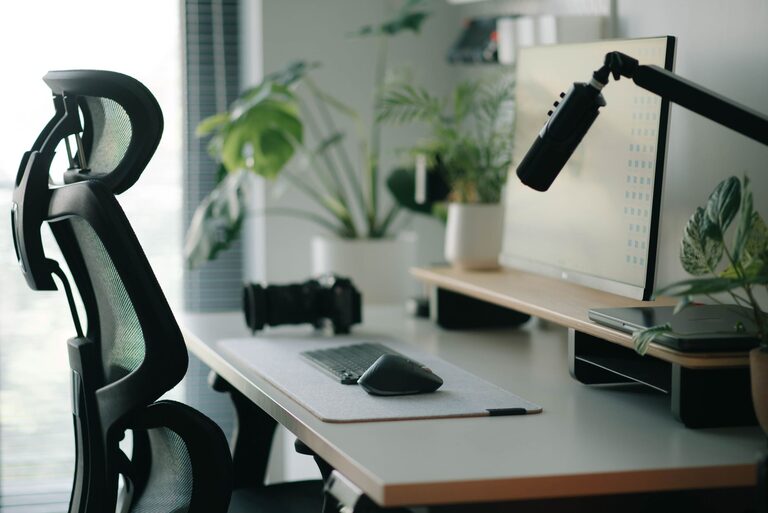
Creating a workspace that promotes both focus and comfort can transform your workday. Whether you work from home, in an office, or anywhere in between, having a desk setup tailored to your needs helps reduce distractions and physical strain. Below, we explore practical tips and ideas to help you design a desk environment optimized for productivity and comfort.
Why a Thoughtful Desk Setup Matters
Your desk setup plays a key role in how well you concentrate and how comfortable you feel during long hours of work or study. A cluttered, poorly organized space can cause distractions and fatigue, while an ergonomic, well-arranged setup supports better posture, reduces discomfort, and improves efficiency.
Choosing the Right Desk and Chair
Desk Considerations
– Size and Surface: Choose a desk that provides enough space for your computer, accessories, and essential documents without overcrowding.
– Height: Your desk height should allow your forearms to rest comfortably parallel to the floor when typing.
– Adjustability: If possible, consider an adjustable desk that allows you to switch between sitting and standing positions.
Chair Essentials
– Ergonomics: Select a chair that supports your lower back and encourages good posture.
– Adjustability: Look for chairs with adjustable height, lumbar support, and armrests.
– Comfort: Choose padding that provides comfort without being too soft, which can reduce support.
Organizing Your Desk for Focus
Keep Essentials Within Reach
– Arrange frequently used items like pens, notebooks, and your phone within easy arm’s reach to avoid unnecessary movement.
Minimize Clutter
– Use storage solutions such as desk organizers, drawers, or shelves to keep the surface tidy.
– Remove non-essential items that can distract you.
Cable Management
– Use cable clips, sleeves, or ties to keep cords organized and prevent tangled messes that can cause frustration.
Lighting Matters
– Natural Light: Position your desk near a window when possible to maximize natural light, which can boost mood and focus.
– Task Lighting: Add a desk lamp with adjustable brightness to reduce eye strain during evening hours or on cloudy days.
– Reduce Glare: Angle screens and lights to minimize glare on your monitor, which can cause headaches and fatigue.
Ergonomic Accessories to Enhance Comfort
Monitor Placement
– Position your monitor about an arm’s length away.
– The top of the screen should be at or just below eye level to prevent neck strain.
Keyboard and Mouse
– Place your keyboard and mouse so your elbows remain close to your body at roughly a 90-degree angle.
– Consider ergonomic keyboards or mouse devices if you experience wrist discomfort.
Footrest
– If your feet don’t comfortably touch the floor, use a footrest to maintain proper leg positioning.
Personalizing Your Space Without Overdoing It
Adding a few personal touches can make your workspace inviting and motivating, but be careful not to overcrowd your desk.
– Plants: Small indoor plants can improve air quality and add a calming green element.
– Inspirational Items: Include a photo, quote, or artwork that inspires you.
– Color Choices: Use colors that are soothing or energizing depending on your personal preference.
Maintaining Good Habits Around Your Desk Setup
– Take Breaks: Use a timer or app to remind you to stand up, stretch, or take short walks every hour.
– Regular Cleaning: Keep your desk clean to maintain a pleasant workspace and prevent buildup of dust or germs.
– Review and Adjust: Periodically assess your desk setup to ensure it still meets your comfort and productivity needs.
Final Thoughts
Creating a desk setup that supports focus and comfort requires attention to ergonomics, organization, lighting, and personalization. By investing time into setting up your workspace thoughtfully, you can reduce distractions, prevent physical discomfort, and enhance your ability to concentrate. Start with small adjustments and build a space where you enjoy spending your work hours.